
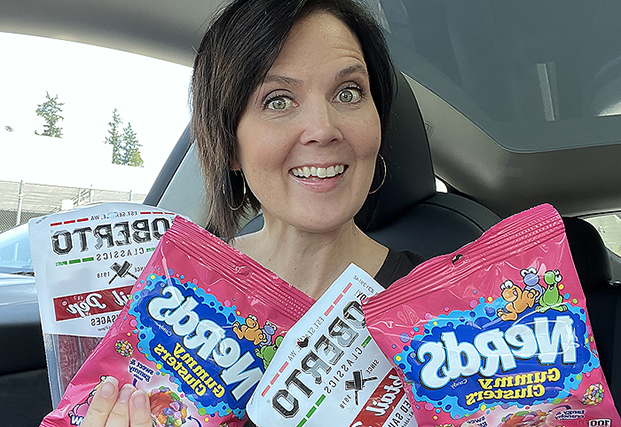
Most of us have a Chase card in our wallets that includes a $10 DoorDash credit each month. This credit is included on two of the most popular personal travel cards as well as the new premium business card. Here’s everything you need to know about using these credits!
NEW UPDATE: In April 2026, DoorDash rolled out a $20 minimum on most pickup orders utilizing the $10 Chase credit. This makes it more difficult to use these credits without any out-of-pocket cost. We have 4 DoorDash accounts that include this $10 monthly credit and as of April 27, 2026 three out of the four accounts now require the $20 minimum. If you’re looking for tips on limiting your out-of-pocket costs with this new change tap HERE.
WHAT IS DOORDASH?
DoorDash is the largest online food ordering platform in the United States. Customers can order groceries, household goods and dining from participating stores. Often the prices in DoorDash will be higher than if you purchased directly through a merchant; however, there are discounts and offers that can minimize or even eliminate the higher costs.
If you have your order delivered you may be subject to delivery fees, tips and/or minimum order requirements. Picking up your order will avoid these additional costs.
WHAT IS DASHPASS?
DashPass provides unlimited $0 delivery fees on orders over $12 and lower service fees on eligible orders. A DashPass membership costs $9.99 per month or $96 per year. Most Chase credit cards include complimentary DashPass. The Chase Sapphire cards recently extended the complimentary DashPass benefit to cardholders through 2027. Other Chase cards receive 6-12 months of complimentary DashPass. This offer must be activated by December 31, 2027.
WHAT CHASE CARDS INCLUDE DOORDASH BENEFITS?
The most generous DoorDash benefits are offered on the Chase Sapphire cards.
The Chase Sapphire Reserve® card (both business & personal)
The Chase Sapphire Reserve® cards include TWO different types of DoorDash credits:
- A $5 credit posts to your DoorDash account every month on the 1st of the month. As of February 1, 2025 this credit can only be used toward DoorDash restaurants and can not be carried forward.
- As a Chase Sapphire Reserve cardholder you also receive TWO up to $10 DoorDash credits each month, while enrolled in DashPass. These credits can NOT be carried forward and can ONLY be used at an eligible non-restaurant DoorDash store. Only one of the two credits can be used per order, but you can place two orders consecutively.

For a detailed post all about the Chase Sapphire Reserve card click HERE.
The DoorDash benefit on the Chase Sapphire Reserve card is worth up to $300 a year. This is in addition to all the other great card perks and benefits.
The Chase Sapphire Preferred® Card
- Includes ONE up to $10 DoorDash credit per month, while enrolled in DashPass. This credit can NOT be carried forward and can ONLY be used at an eligible non-restaurant DoorDash store.

This is the MOST recommended card for people interested in getting started with points and miles. For a detailed post all about the Chase Sapphire Preferred card click HERE.
The DoorDash benefit on the Chase Sapphire Preferred card is worth up to $120 a year. This is in addition to all the other great card perks and benefits.
The Chase Ink Business Preferred® Credit Card
- Includes ONE up to $10 DoorDash credit per month, while enrolled in DashPass. This credit can NOT be carried forward and can ONLY be used at an eligible non-restaurant DoorDash store.
Other Chase cards, including the Chase Freedom Unlimited®, Chase Freedom Flex®, Chase Freedom Rise® and Chase Slate Edge® cards
- Includes ONE up to $10 credit DoorDash per quarter, while enrolled in DashPass. This credit can NOT be carried forward and can ONLY be used at an eligible non-restaurant DoorDash store. New enrollees will receive 6 months of complimentary DashPass.
Co-Branded Chase cards
If you have a Southwest, United, IHG, Marriott, Hyatt or other co-branded Chase card (excluding the Amazon Rewards Visa Card, Instacart Mastercard and DoorDash Rewards Mastercard) you will receive ONE up to $10 DoorDash credit per quarter. This credit can NOT be carried forward and can ONLY be used at an eligible non-restaurant DoorDash store. Co-branded cardholders receive 12 months of complimentary DashPass.
HOW DO I USE THE CREDIT?
1 – Sign up for a DoorDash Account if you don’t have one already
Here’s my referral link if you are new to DoorDash.
2 – Add your Chase card as a Payment Method
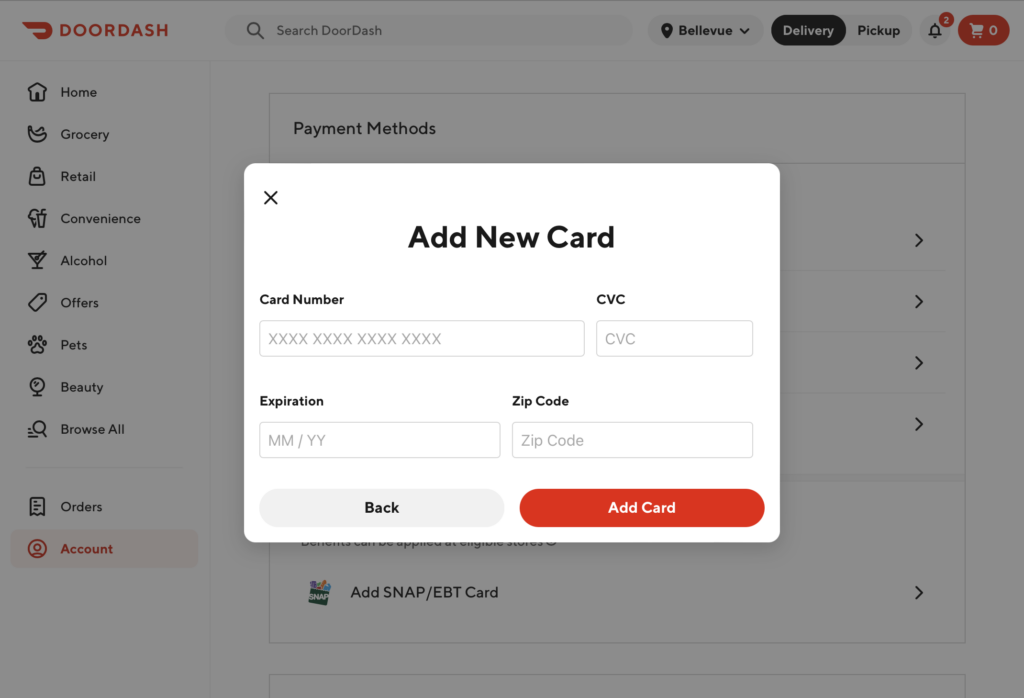
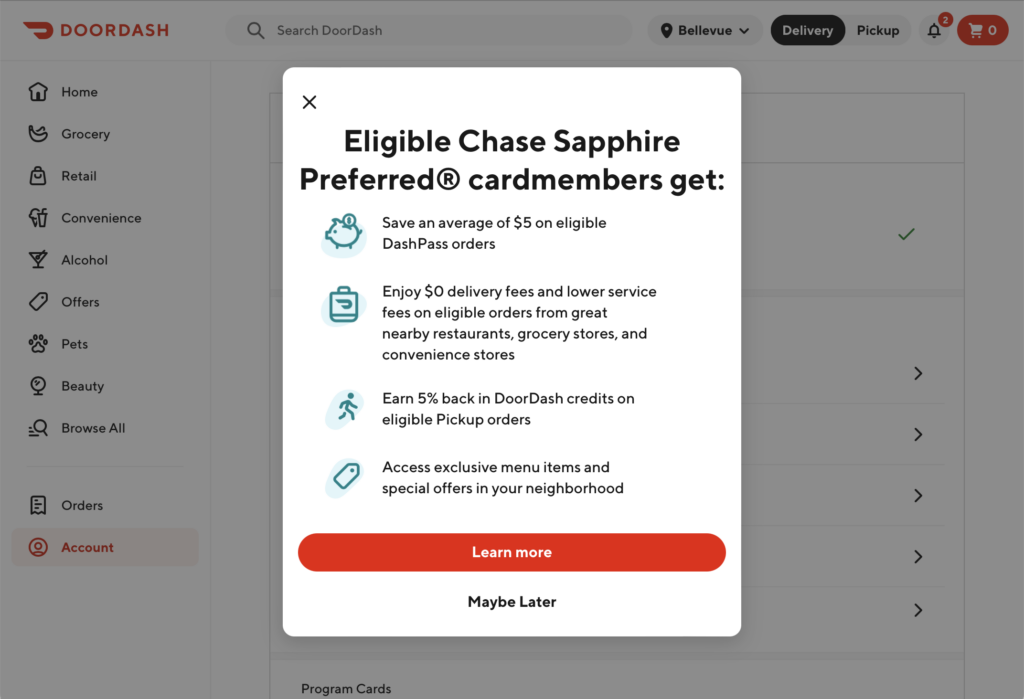
3 – Tap on “Learn More”
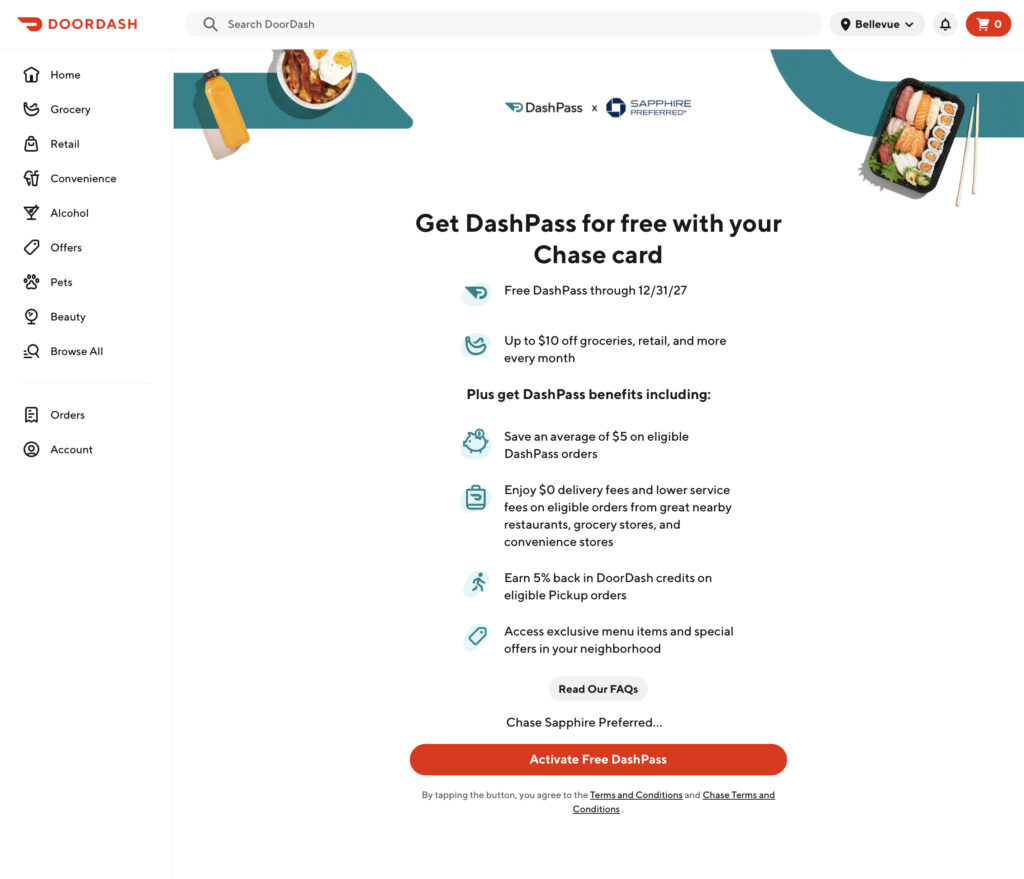
3 – Tap on “Activate Free DashPass”
4 – Search for a “Pickup” option (see tips below)
5 – Add items to your cart
Your monthly credit will cover up to $10. If you spend less than $10 your order will be FREE. Any unused credit will be forfeited. For maximum savings I recommend keeping your order to as close to $10 as possible.
6 – Before checking out verify that Pickup is still selected
Of course you can get your order delivered if that’s your preference – be aware there may be additional fees, tips and/or minimum order requirements.
7 – Choose the $10 Promo code at checkout
The $10 credits are NOT applied to your DoorDash order automatically. If your app is updated and your Chase card is set as the default in your DoorDash account you will see the “Chase monthly benefit” option on the checkout menu. Simply toggle that button and the credit will be taken off of your total.
NOTE: When you pickup your DoorDash order you will receive 5% back in DoorDash credits. In the images below I would toggle the “Use DoorDash Credits” button to allow the 5% pickup credits from past months to cover the pesky plastic bag fees imposed by stores in Washington state. You can also use those 5% pickup credits to cover anything over your $10 credit.
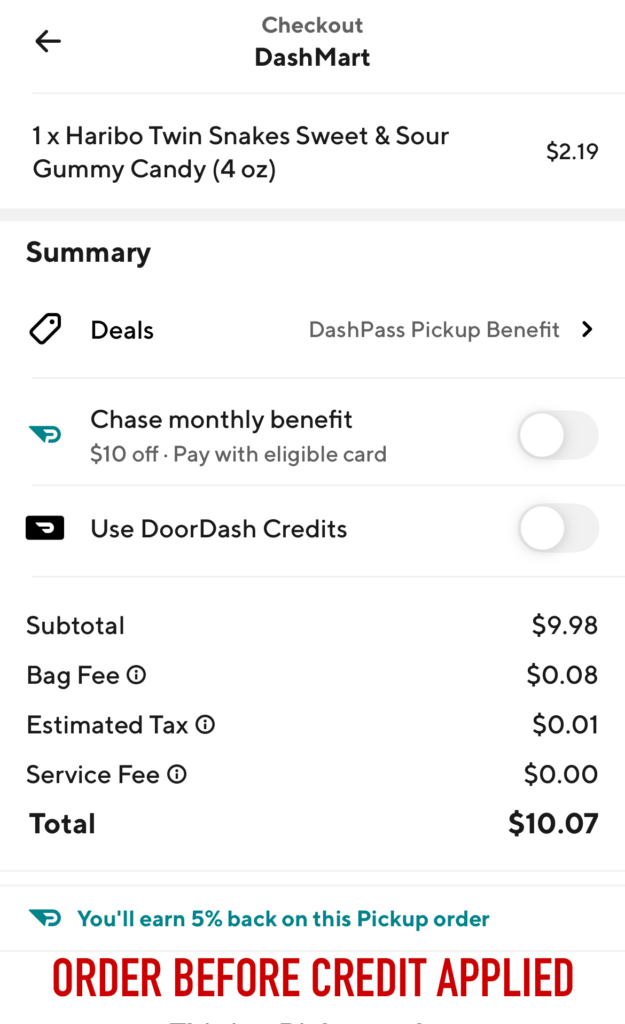
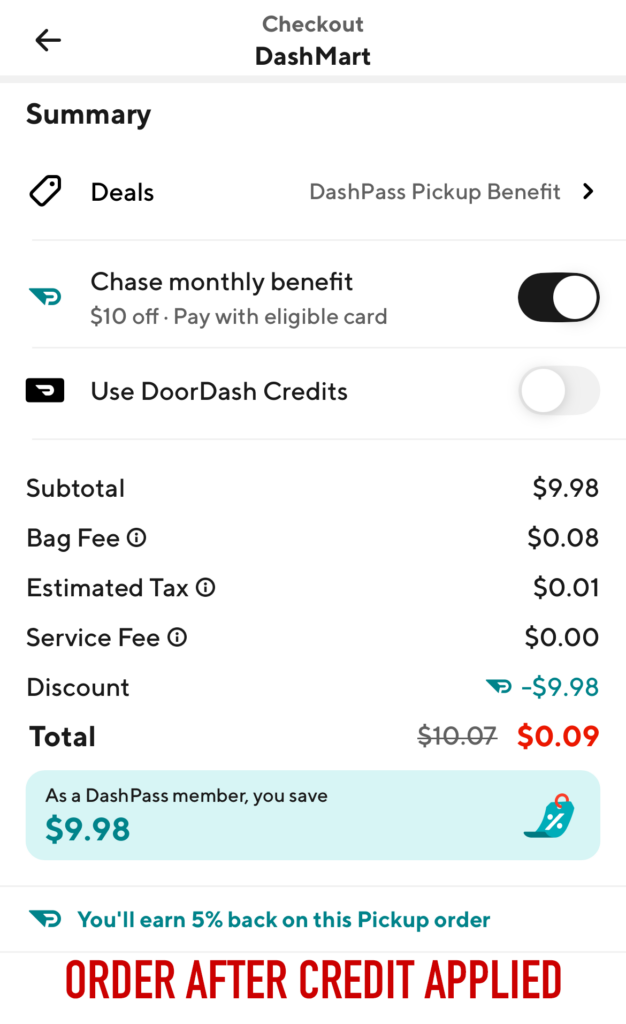
DoorDash credits only apply when using your eligible Chase credit card to pay for eligible orders on DoorDash.
8 – Pickup your Order & Enjoy!
9 – Repeat every month until December 31, 2027
DOES YOUR ACCOUNT REQUIRE A $20 MINIMUM?
As of April 2026, DoorDash has implemented a $20 minimum on most pickup orders utilizing the $10 Chase credit. This makes it more difficult to use these credits without any out-of-pocket cost.
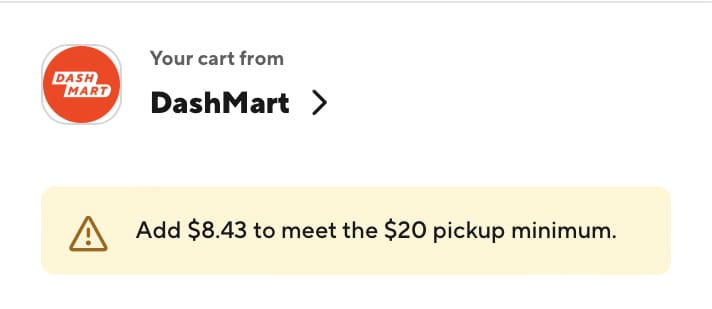
I’ll be honest, there’s not really a bright side or easy work around, but I do have a few tips that may be helpful if you still want to use this benefit.
We have 4 DoorDash accounts that include this $10 monthly credit and as of April 27, 2026 three out of the four accounts now require the $20 minimum.
You have a few different options:
- You can simply not use the credit.
- You can place a pickup order for $20 of product, apply your $10 Chase credit and pay $10 out-of-pocket.
- You can choose to have your order delivered instead – though there may still be some sort of minimum total required and you will need to tip your delivery driver.
- You can take the additional time to try and maximize the credit by looking for promotional offers either through DoorDash or the store itself.
- Pay the balance with a DoorDash gift card purchased at a discount or other promotional offer.
- You can add a $10 gift card to a store you will be visiting anyhow.
Let’s take a closer look at some of these options…
STACK PROMOTIONAL OFFERS
DoorDash looks at your subtotal (before discounts) when determining if you have met the $20 minimum.
This means you can have a subtotal of $20 and then after promotional discounts and the $10 Chase credit your total could be $0 out-of-pocket.
To get your total as close to $0 as possible, you’ll want to look for “Buy 2, Save __” or “Spend $__, Save __” offers.
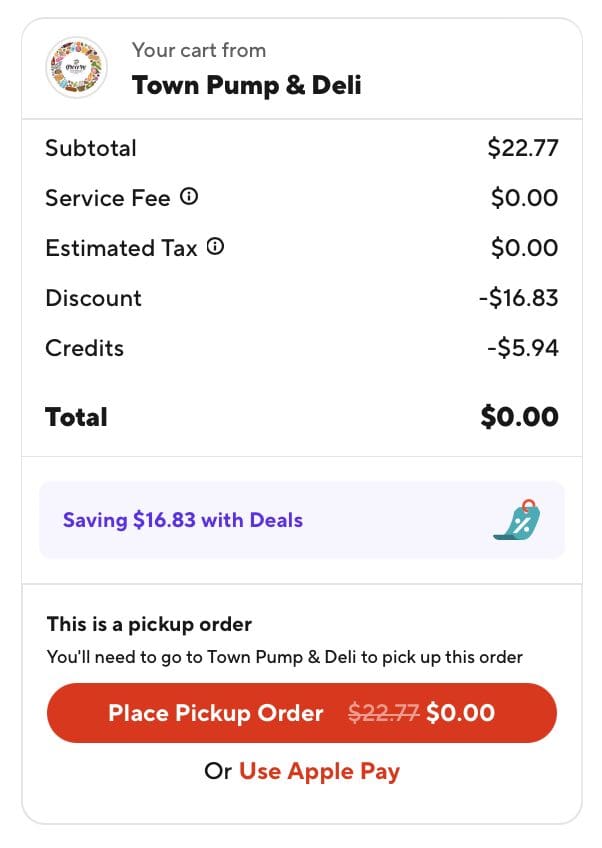
Here’s an example: (It’s no secret I have a sweet tooth)
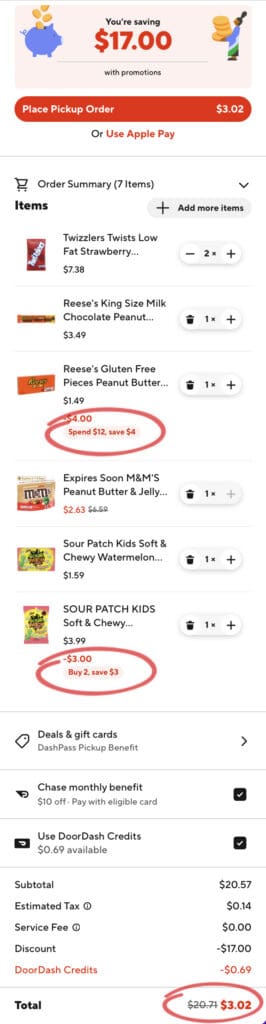
Look for stores that offer a discount based on how much you spend. I placed several May orders at a store that offers a 30% discount between the hours of 11am-2pm. Stacking the 30% discount with my $10 credit brought my $20 order down to just a few dollars.
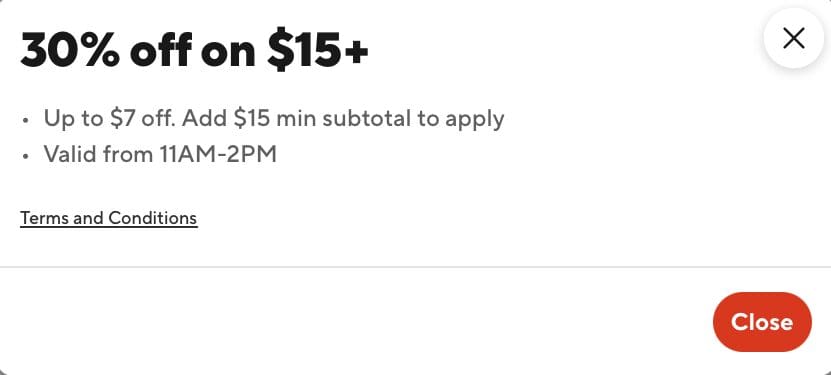
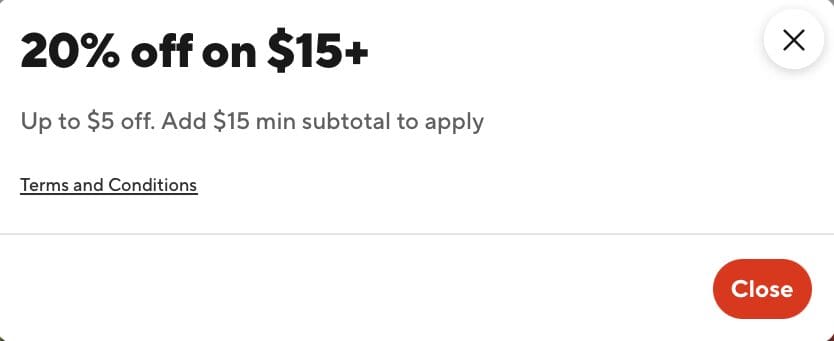
In addition, I applied any accumulated DoorDash credits (you get 5% back on pickup orders) and used DoorDash gift cards as the payment.
USE A DOORDASH GIFT CARD TO PAY THE BALANCE
Lots of ways to get your hands on a DoorDash gift card…
You can purchase DoorDash gift cards at a discount at Costco.
You can purchase a DoorDash gift card at an office supply store using a card that earns 5% rewards. Or at Amazon using the card from our favorite bank that currently earns 5x points on Amazon. Or at a grocery store with card that earns 4x points on groceries.
If you haven’t joined Rakuten yet, purchasing a DoorDash gift card would be an easy way to earn $150 (15,000 points) – see THIS highlight bubble for an example.
You can even purchase a DoorDash gift card at a DashMart location to help you reach that $20 minimum (though it needs to be combined with $10+ of physical goods).
I used the $50 semi-annual gift card credit that comes on the Chase Sapphire Reserve Business card to purchase a $50 DoorDash gift card to load into my DoorDash account to cover any overage for the next several months.
Through December 31, 2026 you can earn 10x Chase points on a gift card purchased on Newegg if you checkout with Paze and your Paze account is associated with a Chase Sapphire Reserve, Chase Sapphire Preferred or a Chase Freedom card. You can earn 10x points on up to $1,500 in spend per month at select merchants throught the Paze checkout promotion. Check your account for details: Manage account ➜ Digital Wallets ➜ Paze to link your card.
PURCHASE A $10 GIFT CARD
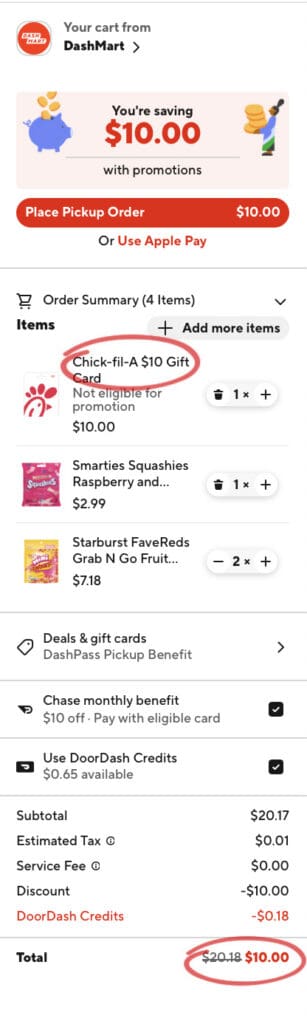
Another option is to add $10 of merchandise then add a $10 physical gift card to a place you will use. I purchased a $10 Chick-fil-A gift card because I know we will use it and I can easily add it to our Chick-fil-A app so there’s no risk of it getting lost or forgotten about. It’s $10 we would be spending anyhow.
Gift cards will not be available at all DoorDash locations – a DashMart will be your best bet.
Here’s an example:
HOW DO I FIND A LOCATION TO ORDER FROM?
To find a participating grocery, convenience, or retail store you will need to explore DoorDash and see if you have any locations nearby. I find this search easier to do on a computer.
For maximum savings you’ll want to PICKUP your order. Picking up your order will avoid any delivery charges, minimum order requirements and additional costs for tipping. Remember, a credit likely isn’t worthwhile if you’re spending money you otherwise wouldn’t be!
If you don’t have an ideal location near your home or work you can try to use the credits while traveling or away from home.
TIPS TO FIND A PICKUP LOCATION
A) Input your address in the location menu or the address of an area you will be traveling
B) Select the “Pickup” button to filter your search to locations that offer pickup
C) Check the box to “Search as I move the map” and you’ll be able to scan the DoorDash map in search of a green shopping cart (D). The symbols turn grey when they are closed so it’s best to perform this search during the day when most locations will be open and active on the map.
If you find a non-dining/cafe symbol, click on that to verify that the location offers pickup. I have found that the most likely options for free pickup are convenience stores (which are marked with a shopping cart symbol).
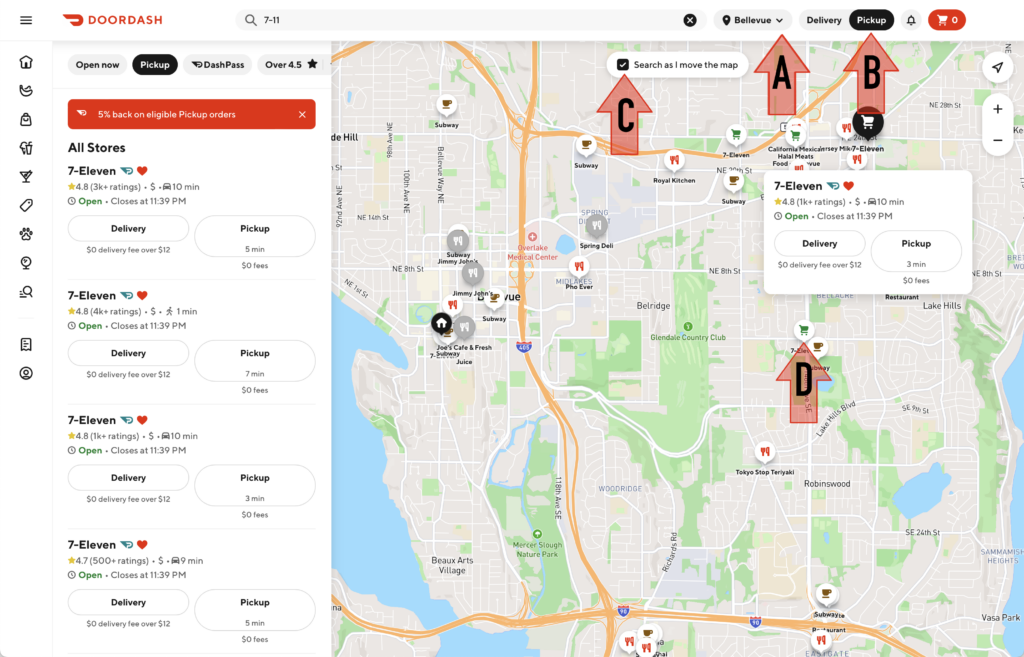
I have also found it helpful to perform a search for a local convenience store by name (7-11, ampm, ExtraMile, Rocket, DashMart, etc…). DoorDash will try to find similar stores and will list them on the far left side of the screen. You’ll be able to see which of these locations offer a pickup option.
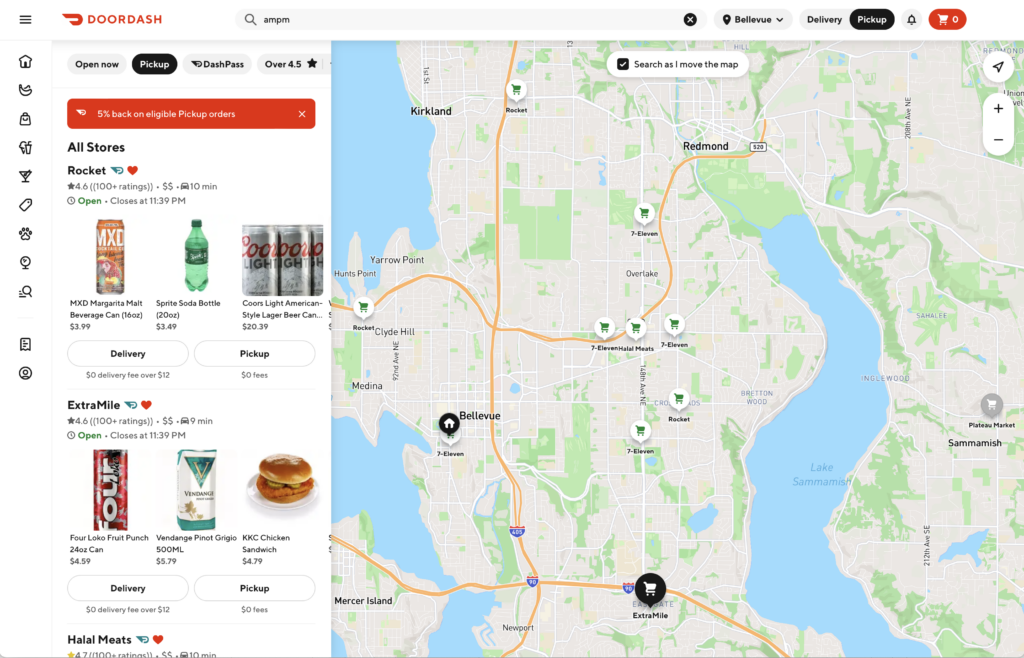
As you discover locations that offer pickup, I recommend tapping on the heart symbol by the store name to save the store as a favorite so you can more easily find it in the future.
WHAT IF I HAVE MULTIPLE CHASE CARDS THAT OFFER A CREDIT?
DashPass benefits are tied to the Chase card that is the default payment for your order and only one DashPass can be active per phone number.
You will need to have multiple DashPass accounts (and multiple phone numbers) in order to use the credits from multiple Chase cards. My husband and I both have a Chase Sapphire card so we each have our own DoorDash account. If you only want to do one pickup a month then plan to place all orders on the same day, same time and from the same location.
If you have multiple non-Sapphire Chase cards with limited time DashPass you can stack those free periods after one membership expires. Simply add another Chase card to your account after your free DashPass membership expires and make sure it’s the new default payment.
If you have older kids you could choose to add one of your Chase cards to their own DoorDash account so they can redeem the $10 credit each month/quarter.
Enjoy those freebies!
** NOTE: Holly @onpointwithholly is part of an affiliate network and may receive commission when you support her efforts to continue to provide FREE content, resources and guidance. Send me a DM if I can help you along your credit card journey!


So helpful, thank you!
So it really seems nearly impossible to use credits from different cards in the same quarter. I have 4+ cards with the $10 benefit/quarter, but if I change the card (to, say a Freedom) the DashPass account is linked to, then try to check out using that same card (Freedom), it doesn’t have the $10 credit slider. My DashPass is still tied to my CSP. That’s a huge bummer. So much more difficult to use the benefit on any other card (with a quarterly benefit rather than monthly), which I am sure Chase is banking on (pun intended). [Unlike the GoPuff credits, I could place 4 orders at a time and just pay with a different card for each order to get the benefit for each card.] What a disappointment, Chase!